
The plugin automatically transfers stock levels from the Mailship warehouse to the selected warehouse of your e-shop. For the sync to work correctly, it must be set up in the administration under Connections (Propojení) → Mailship → Warehouses (Sklady).
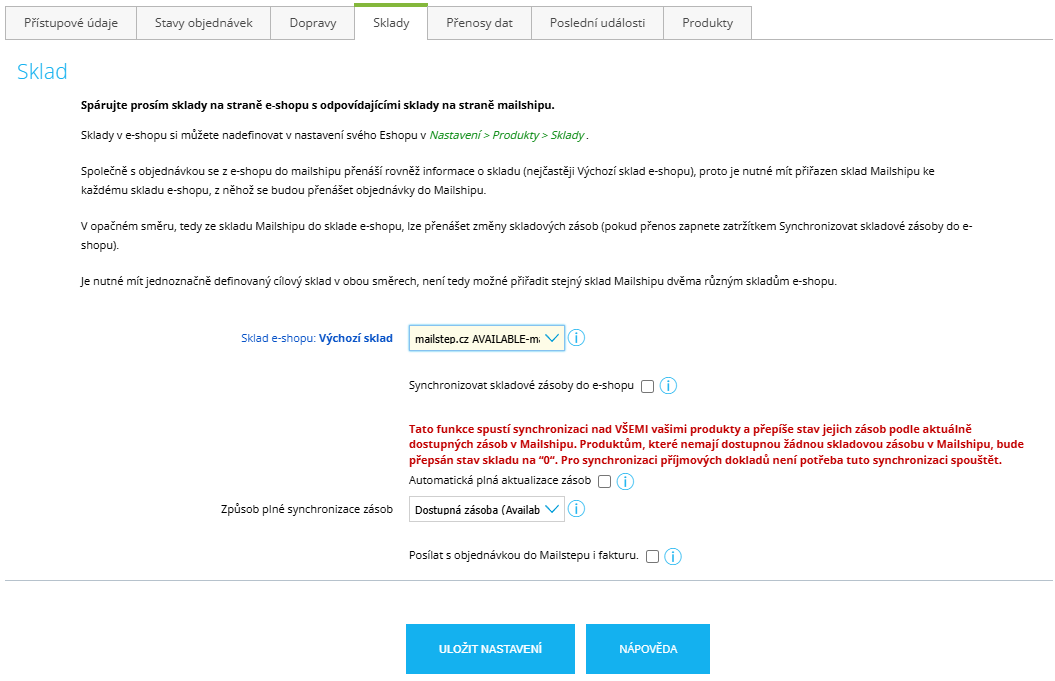
Warehouse and Stock Sync Settings
E-shop warehouse (Sklad e-shopu): Select the Mailship warehouse from which you want to sync stock.
In most cases, this will be the warehouse marked as AVAILABLE (available items ready for sale).
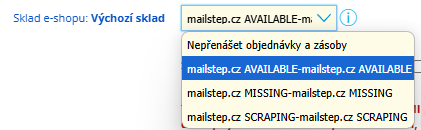
Attention! If you leave this option set to Do not transfer orders and stock (Nepřenášet objednávky a zásoby), the sync will not work.
Stock Sync Options
In the plugin settings, you will find two options for stock sync.
-
Sync stock to the e-shop (Synchronizovat skladové zásoby do e-shopu)
-
Automatic full stock update (Automatická plná aktualizace zásob)
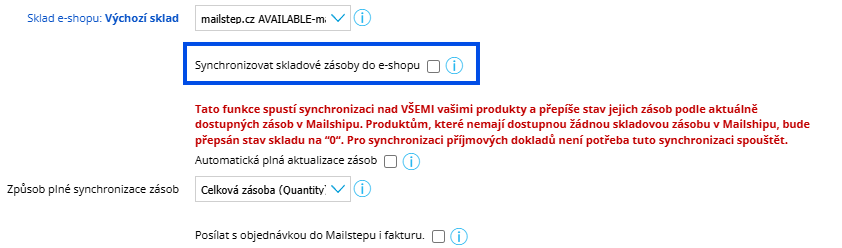
Sync Stock to the E-shop (Synchronizovat skladové zásoby do e-shopu)
With this option, new stock is synced at the moment it is received into stock in Mailship. In other words, once the processing of an inbound (advice) is completed, the stock of the product(s) is increased.
TIP: If you only have one Shoptet e-shop and Mailship, and no other sales channels are involved in the process, this is the most suitable stock sync setting (i.e. this option only).
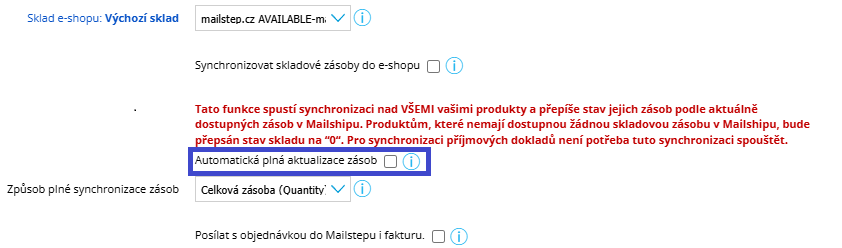
Automatic Full Stock Update (Automatická plná aktualizace zásob)
With this option, the sync runs several times a day – specifically at 7:00, 11:00, 15:00 and 19:00, all stock levels are fully loaded from Mailship to the e-shop.
Attention! This feature runs the sync for ALL your products and overwrites their stock levels according to the stock currently available in Mailship. Products that have no available stock in Mailship will have their stock level overwritten to “0”. You do not need to run this sync to synchronize inbound documents.
TIP: If you also use other sales channels and want to reconcile stock levels periodically, we recommend having both options enabled.
Full Stock Sync Method (Způsob plné synchronizace zásob)
Choose how you want the data to be synced.
-
Total stock (Celková zásoba) – Quantity
-
Available stock (Dostupná zásoba) – Available
Total stock (Celková zásoba) – Quantity - syncs the total number of all items in stock, including reservations.
Available stock (Dostupná zásoba) – Available - syncs the number of items actually available in stock.
