
The correct functioning of the plugin and the correct transfer of information between Shoptet and Mailship depend on how the client has set everything up in the plugin. So that our Mailstep colleagues can advise you as well and as quickly as possible on why orders or products are not syncing, you can grant them access to certain parts of your Shoptet – i.e. to orders, products and the Mailship plugin.
How to Create the Access
|
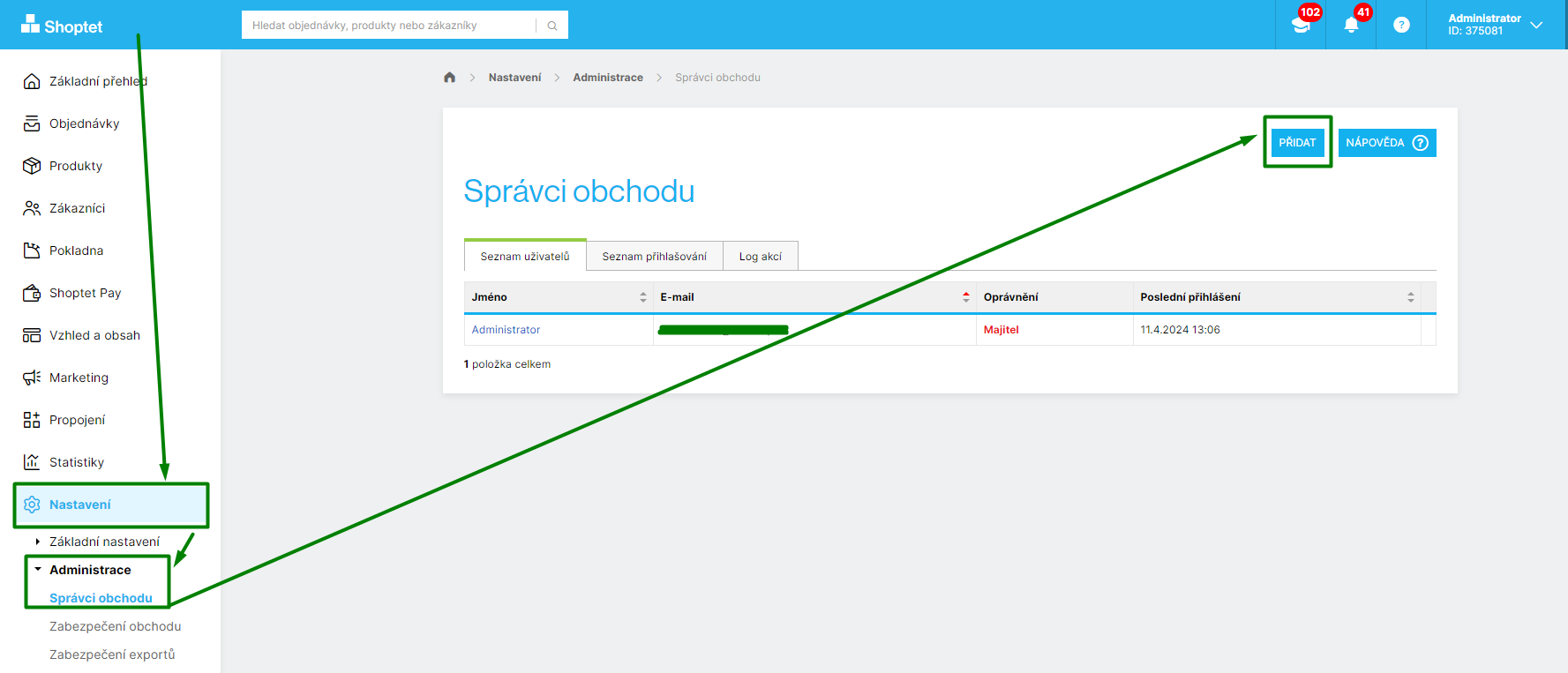
1. Shoptet - Settings (Nastavení) → Administration (Administrace) → Store Administrators (Správci obchodu) → Add (Přidat) |
|
|
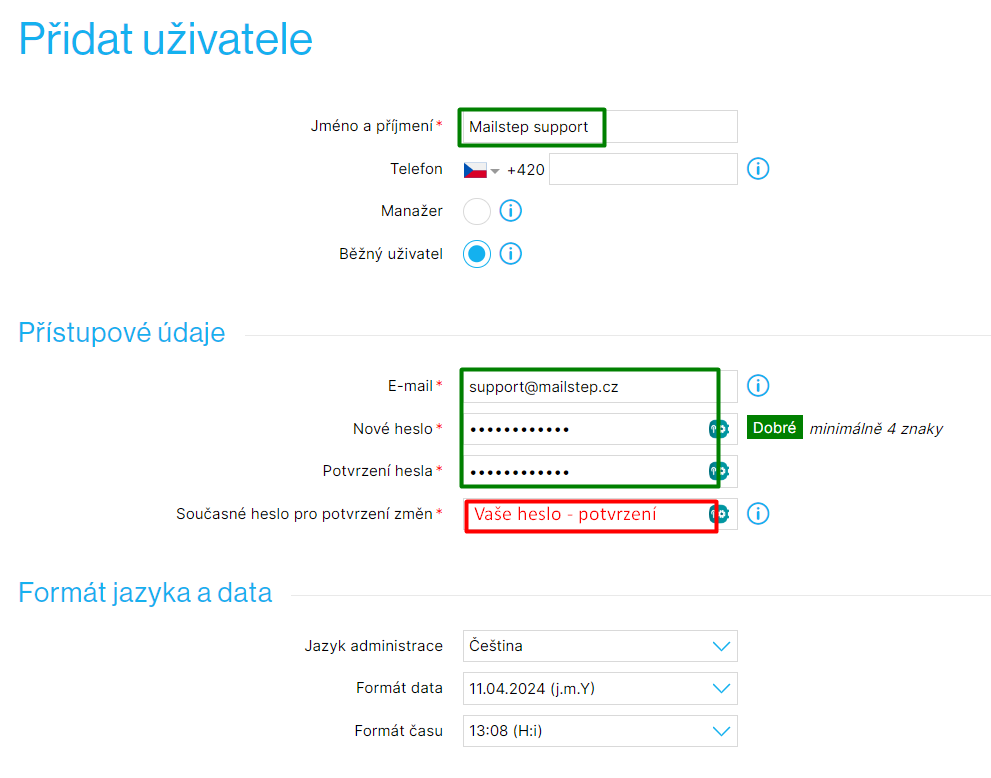
2. Fill in the mandatory fields:
|
|
|
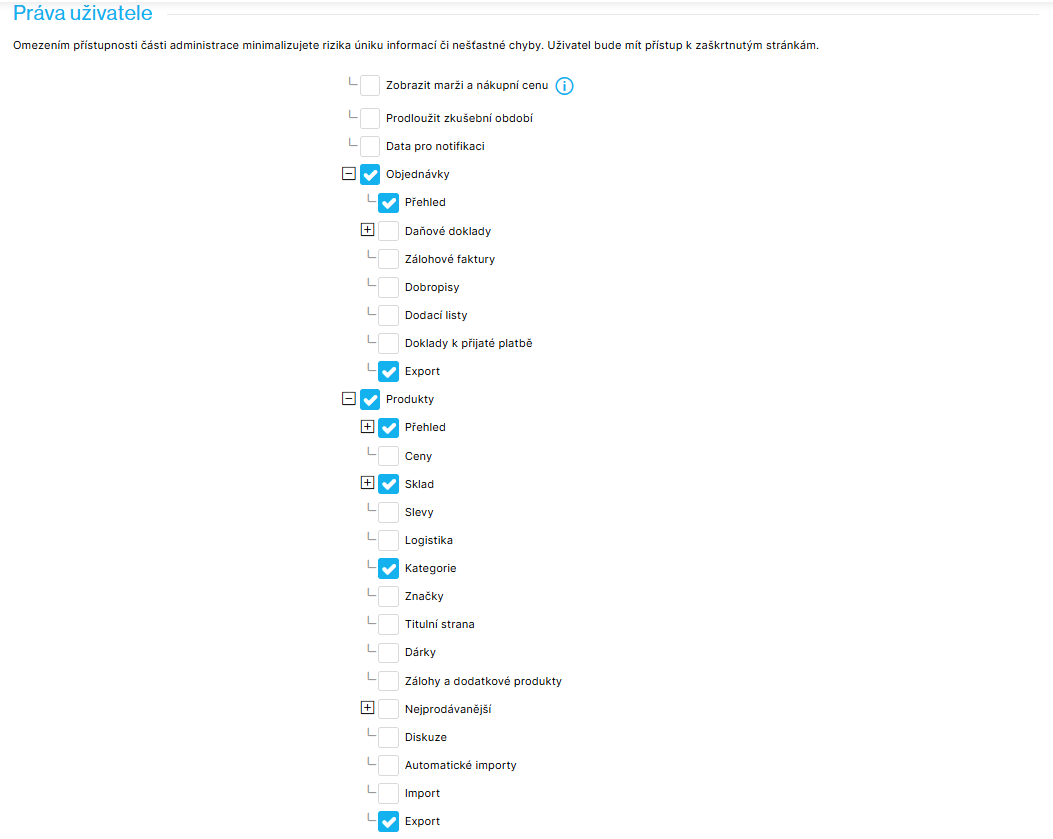
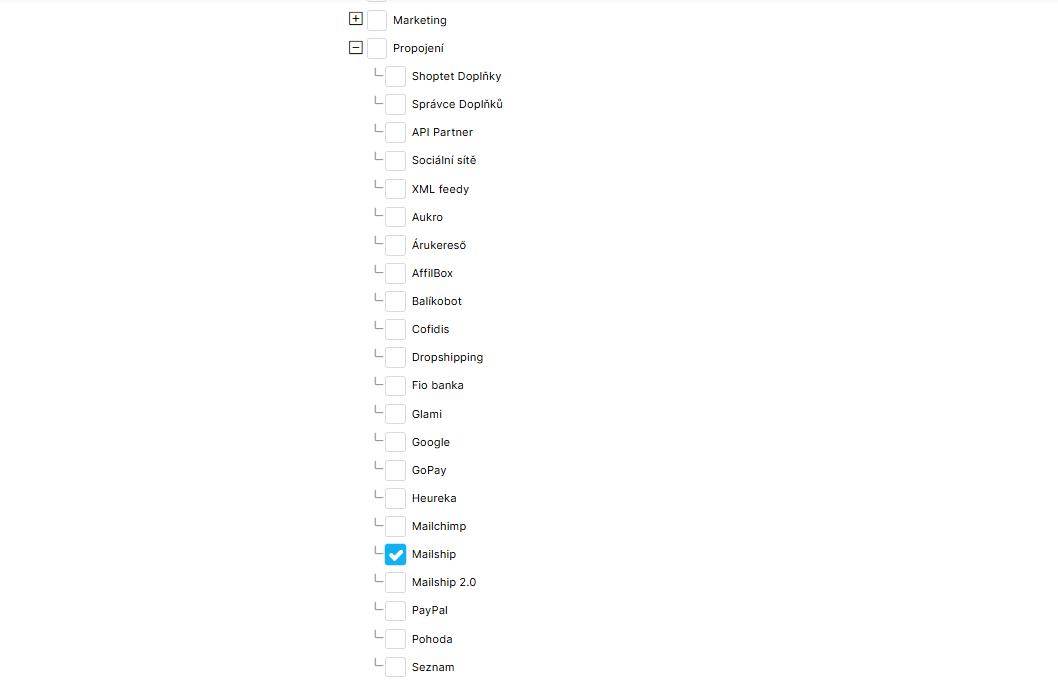
3. User rights (Práva uživatele) - select at least: Orders (Objednávky)
Products (Produkty)
Connections (Propojení)
|
|
|
Summary - send these three details to support:
|
|