Setting Up Statuses for Order Transfer
The transfer of orders from Shoptet to Mailship is controlled by the order status. In the plugin, you define when an order should be transferred to Mailship and which status should be set after a successful transfer.
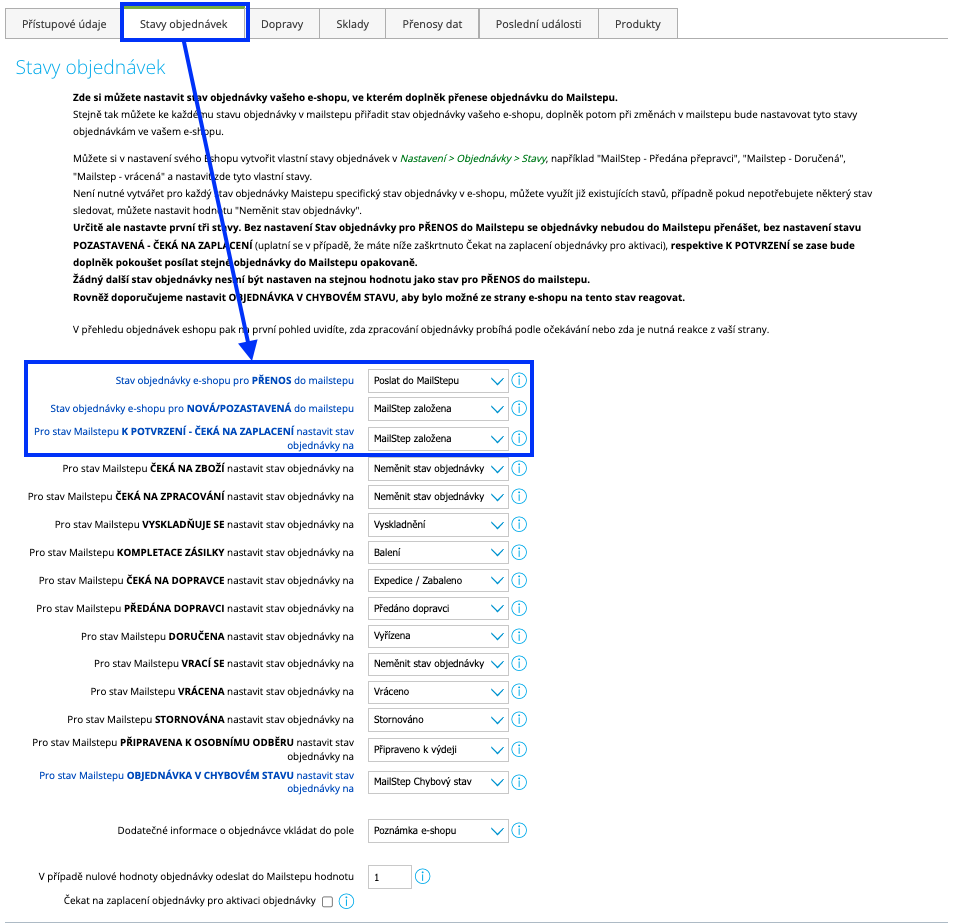
You can customize everything in Connections (Propojení) → Mailship → Order Statuses (Stavy objednávek).
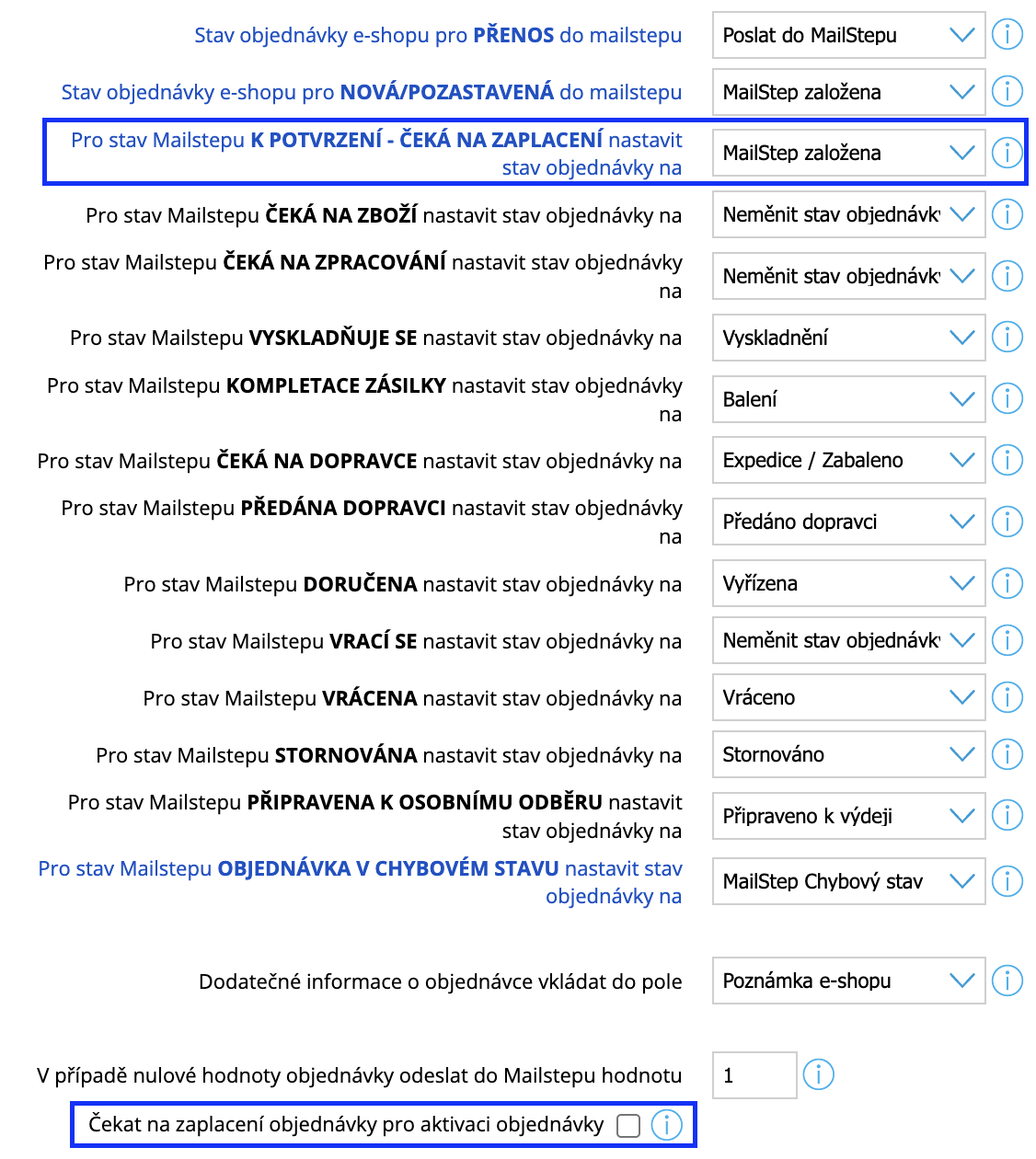
For order sync to work correctly, the first three statuses (shown in blue in the plugin) must be set up correctly:
-
E-shop order status for TRANSFER to Mailstep (Stav objednávky e-shopu pro PŘENOS do mailstepu)
-
E-shop order status for NEW/ON HOLD in Mailstep (Stav objednávky e-shopu pro NOVÁ/POZASTAVENÁ do mailstepu)
-
For the Mailstep status TO CONFIRM – AWAITING PAYMENT, set the order status to (Pro stav Mailstepu K POTVRZENÍ - ČEKÁ NA ZAPLACENÍ nastavit stav objednávky na)
Order Sync Process
|
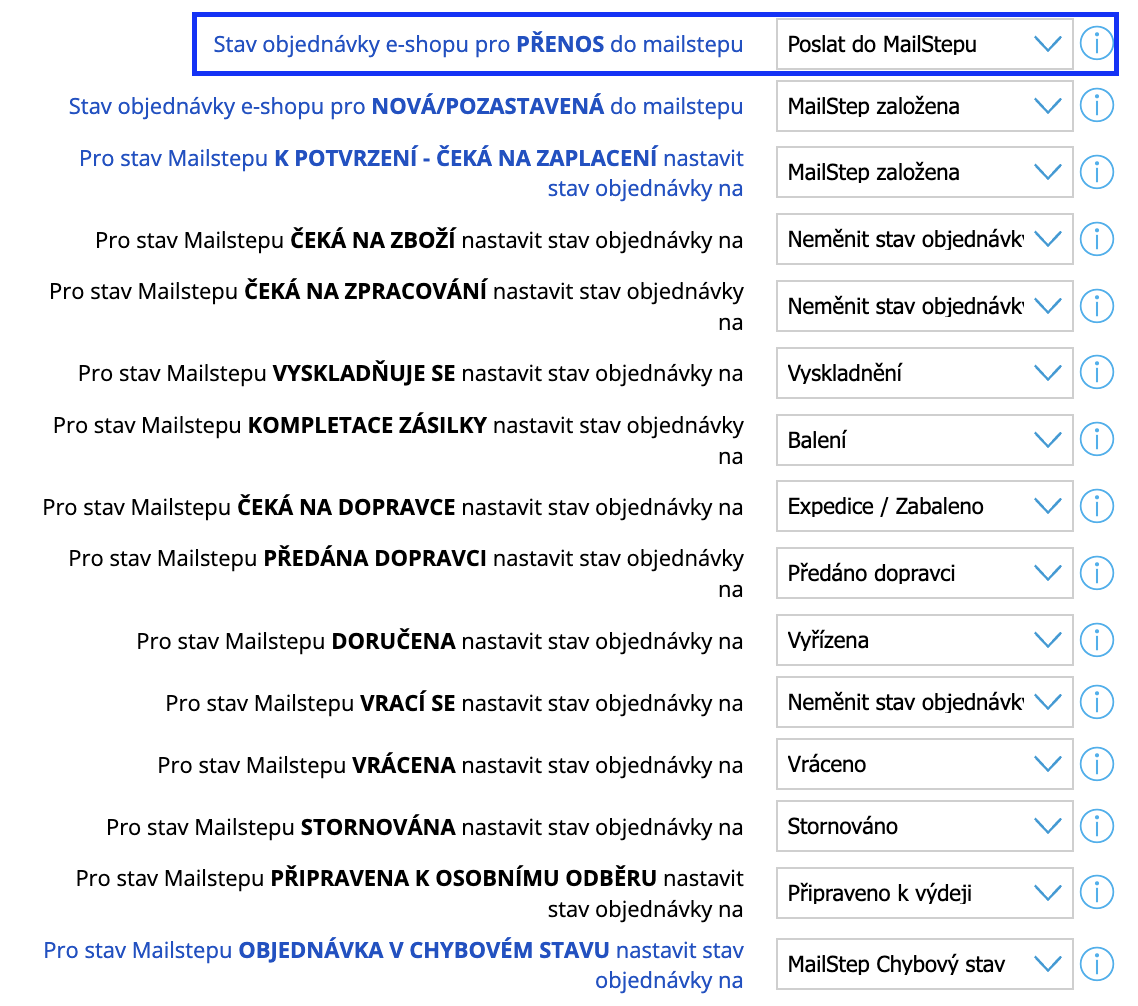
1. E-shop order status for TRANSFER to Mailstep (Stav objednávky e-shopu pro PŘENOS do mailstepu) In the plugin, select the Shoptet order status that will trigger the transfer to Mailship. As soon as an order receives this status, the plugin automatically transfers it to Mailship for processing. |
|
|
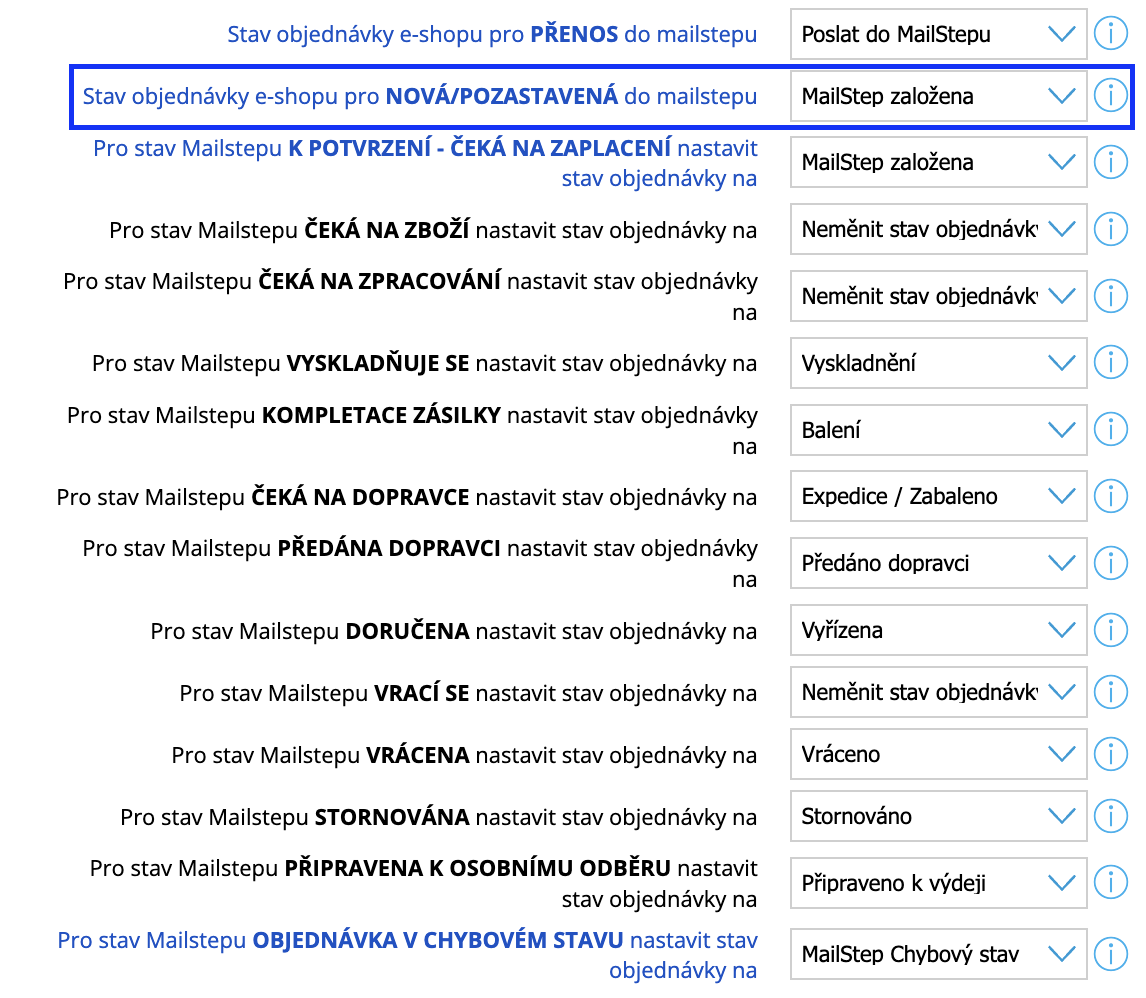
2. E-shop order status for NEW/ON HOLD in Mailstep (Stav objednávky e-shopu pro NOVÁ/POZASTAVENÁ do mailstepu) Once the plugin has successfully transferred the order to Mailship, it sets this selected status for the order in the e-shop. This informs the e-shop administrator that the order was transferred successfully, and the plugin will no longer try to transfer the order to Mailship again. Attention! This means that if this second status is left empty in the settings, the order will remain in the status that requests its transfer even after it has been successfully transferred to Mailship, and the plugin will keep trying to transfer it repeatedly, which is not desirable. |
|
|
3. For the Mailstep status TO CONFIRM – AWAITING PAYMENT, set the order status to (Pro stav Mailstepu K POTVRZENÍ - ČEKÁ NA ZAPLACENÍ nastavit stav objednávky na) If you want to reserve products for an order that is still awaiting payment (e.g. by bank transfer), the order will be transferred to Mailship with the status TO CONFIRM (K POTVRZENÍ). The selected status is then set in the e-shop. Once the order is marked as paid, we will automatically send it for processing in Mailship. If you want to use this feature, do not forget to also tick the Wait for order payment to activate the order (Čekat na zaplacení objednávky pro aktivaci objednávky) checkbox. If the checkbox is not ticked, orders are synced to Mailship only after the payment has been received. |
|
|
4. After that, statuses will be synced according to your individual settings. |
|
Setting Up Other Statuses
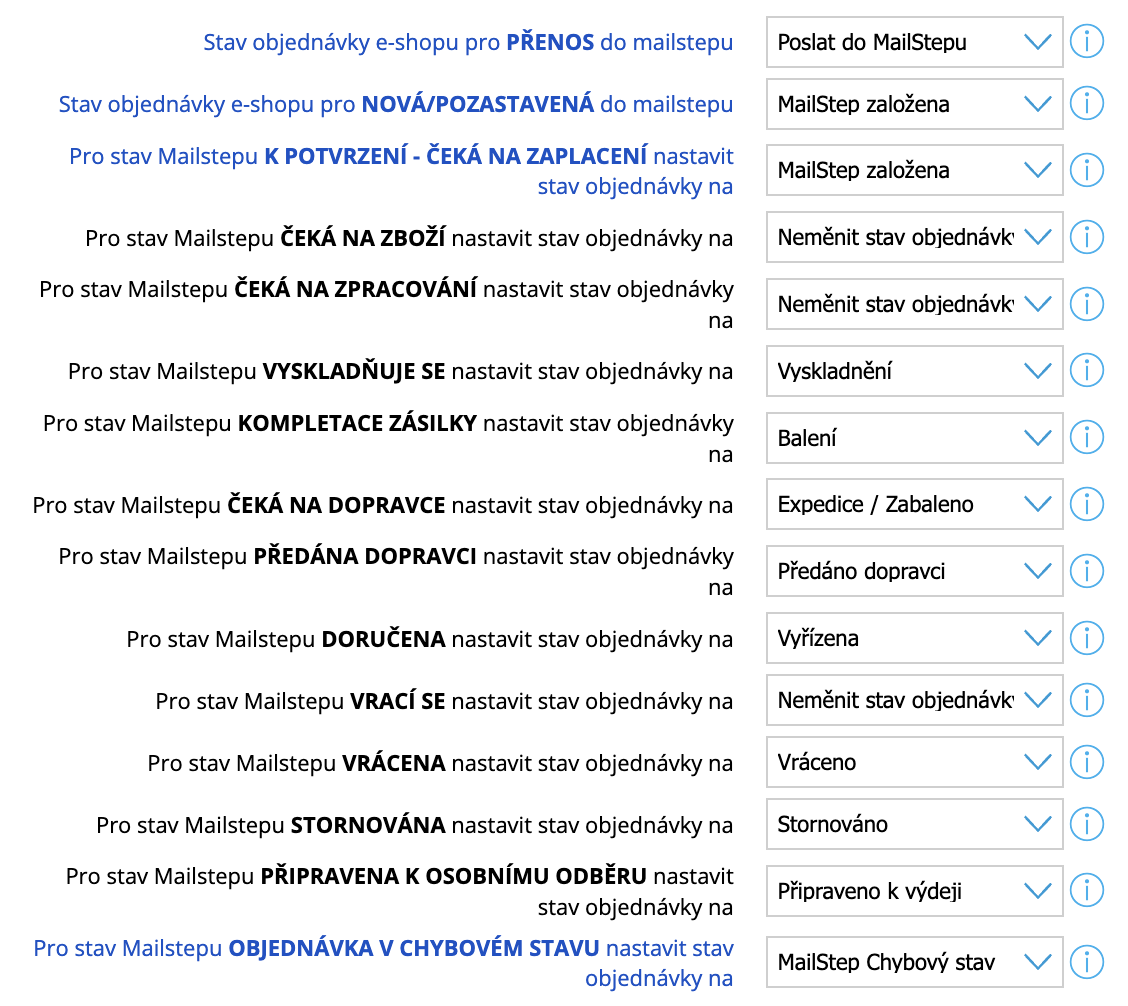
You can of course use the standard Shoptet system statuses. For clarity, however, we recommend creating special statuses used for working with Mailship in your e-shop administration, for example with the prefix MS or Mailship. You can create order statuses in the e-shop administration under Settings (Nastavení) → Orders (Objednávky) → Statuses (Stavy).
You do not need to have a separate e-shop status for each Mailship shipment status – for example, if you are not interested in shipment preparation before it is handed over to the carrier. If you do not need a particular status, you can leave it set to "Do not change order status (Neměnit stav objednávky)".
You can set up the following statuses:
-
AWAITING GOODS (ČEKÁ NA ZBOŽÍ)
-
AWAITING PROCESSING (ČEKÁ NA ZPRACOVÁNÍ)
-
PICKING (VYSKLADŇUJE SE)
-
PACKING (KOMPLETACE ZÁSILKY)
-
AWAITING CARRIER (ČEKÁ NA DOPRAVCE)
-
HANDED OVER TO CARRIER (PŘEDÁNA DOPRAVCI)
-
DELIVERED (DORUČENA)
-
RETURNING (VRACÍ SE)
-
RETURNED (VRÁCENA)
-
CANCELLED (STORNOVÁNA)
-
READY FOR PERSONAL PICKUP (PŘIPRAVENA K OSOBNÍMU ODBĚRU)
Order Notes
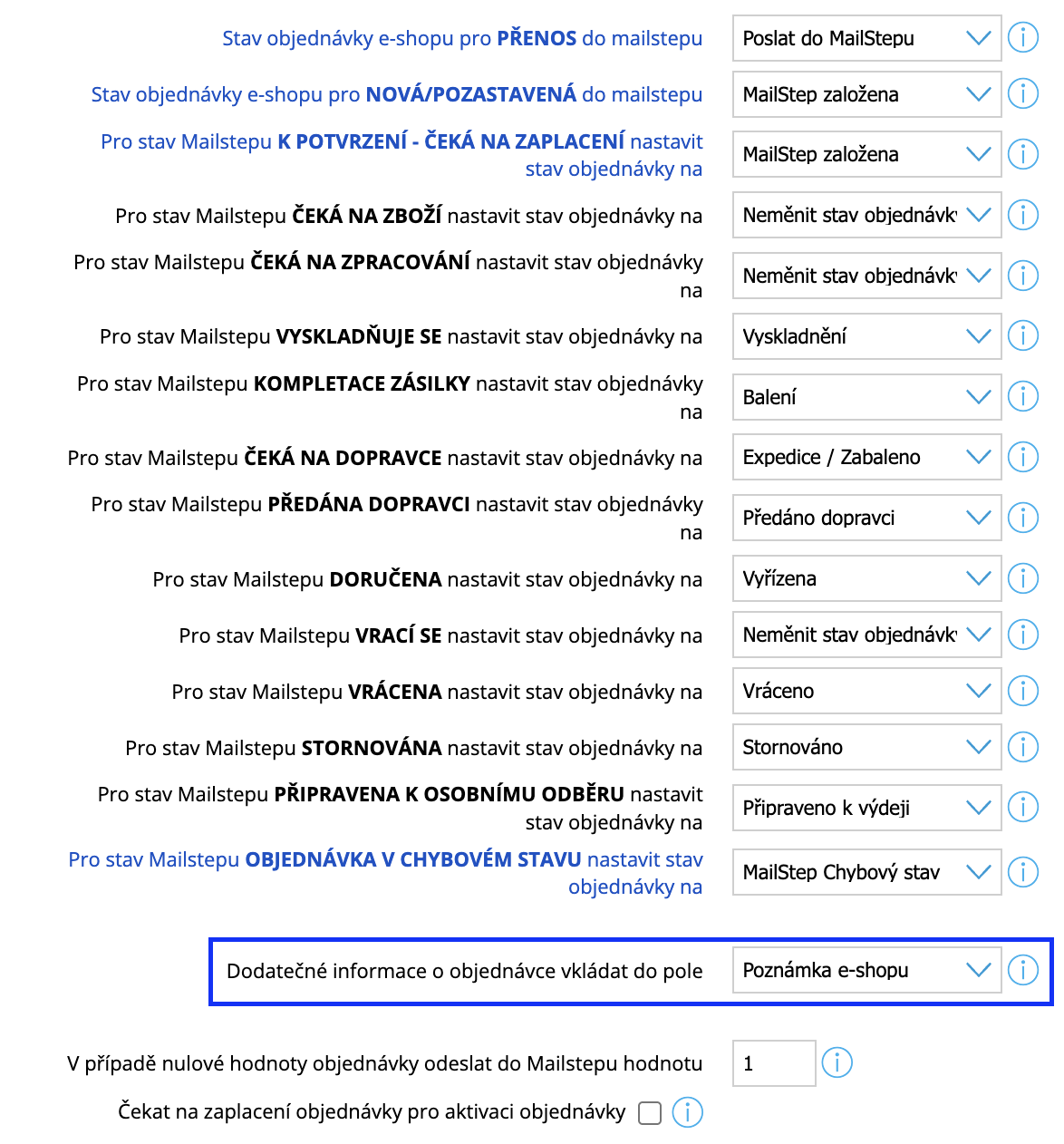
In this section, you can also choose the Shoptet order field into which the plugin will insert detailed information about shipment processing in Mailship. The best option is to keep the default choice "E-shop note (Poznámka e-shopu)", unless your e-shop uses this field for other purposes, because the content of this field is displayed in the e-shop administration directly in the order list (in a tooltip). If the "E-shop note (Poznámka e-shopu)" field is already used by the e-shop for other purposes, you can choose one of the additional fields; however, these fields are only visible in the order detail. The plugin always deletes the original content of the selected field.
Zero Order Value
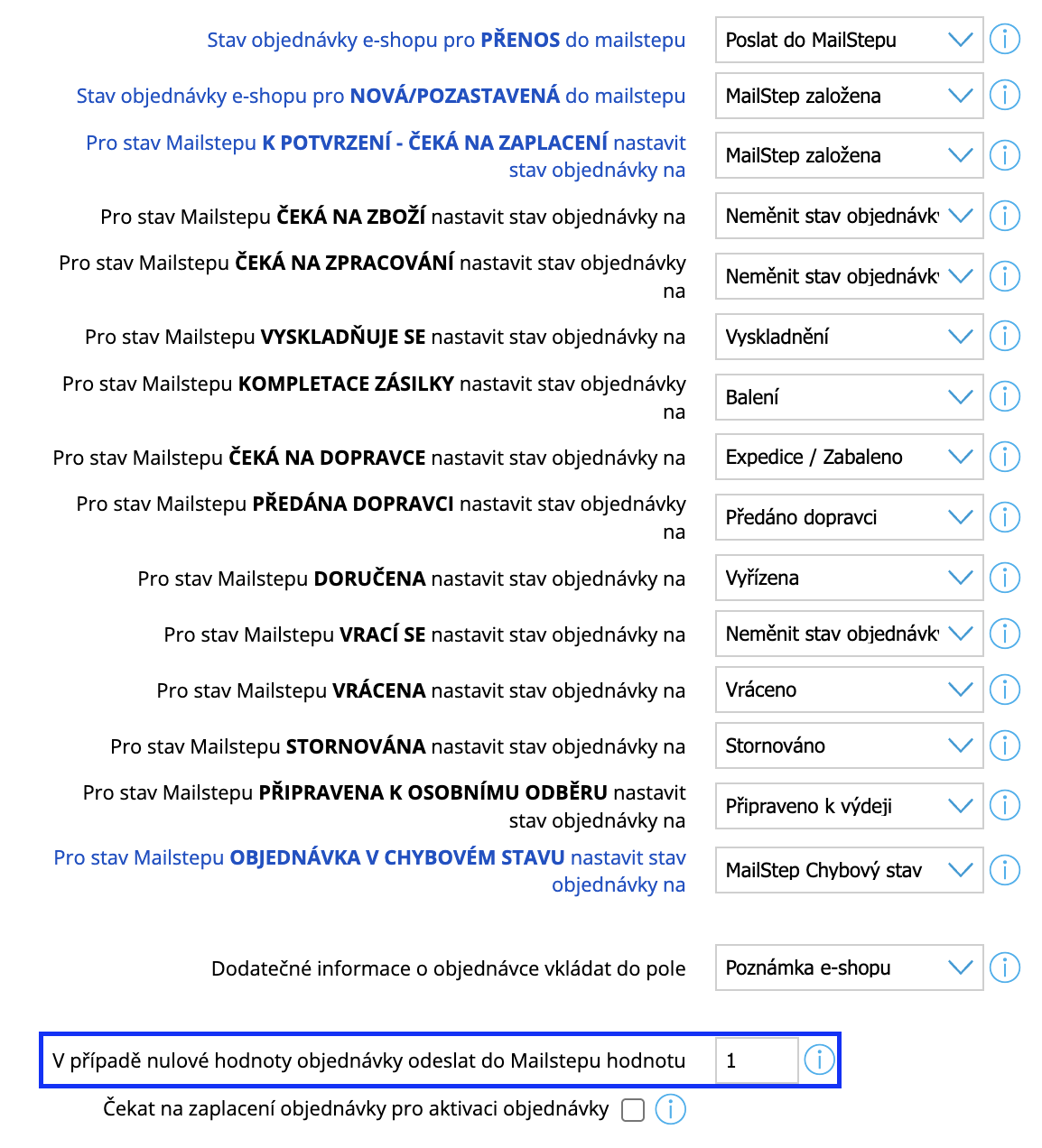
If an order has a zero value, it cannot be transferred to Mailship. If you still want such orders to be synced automatically without manual follow-up, you can set a default order value with which they should be transferred.