How to Create Expeditions?
In the Mailship portal, you have two options for creating expeditions:
-
Create individually
-
Upload in bulk via import
On this page, we will look at how to create an individual expedition. If you are interested in setting up expeditions in bulk via import, follow this guide: Creating Expeditions in Bulk via Import
Creating an Individual Expedition
Expeditions → +Create new

|
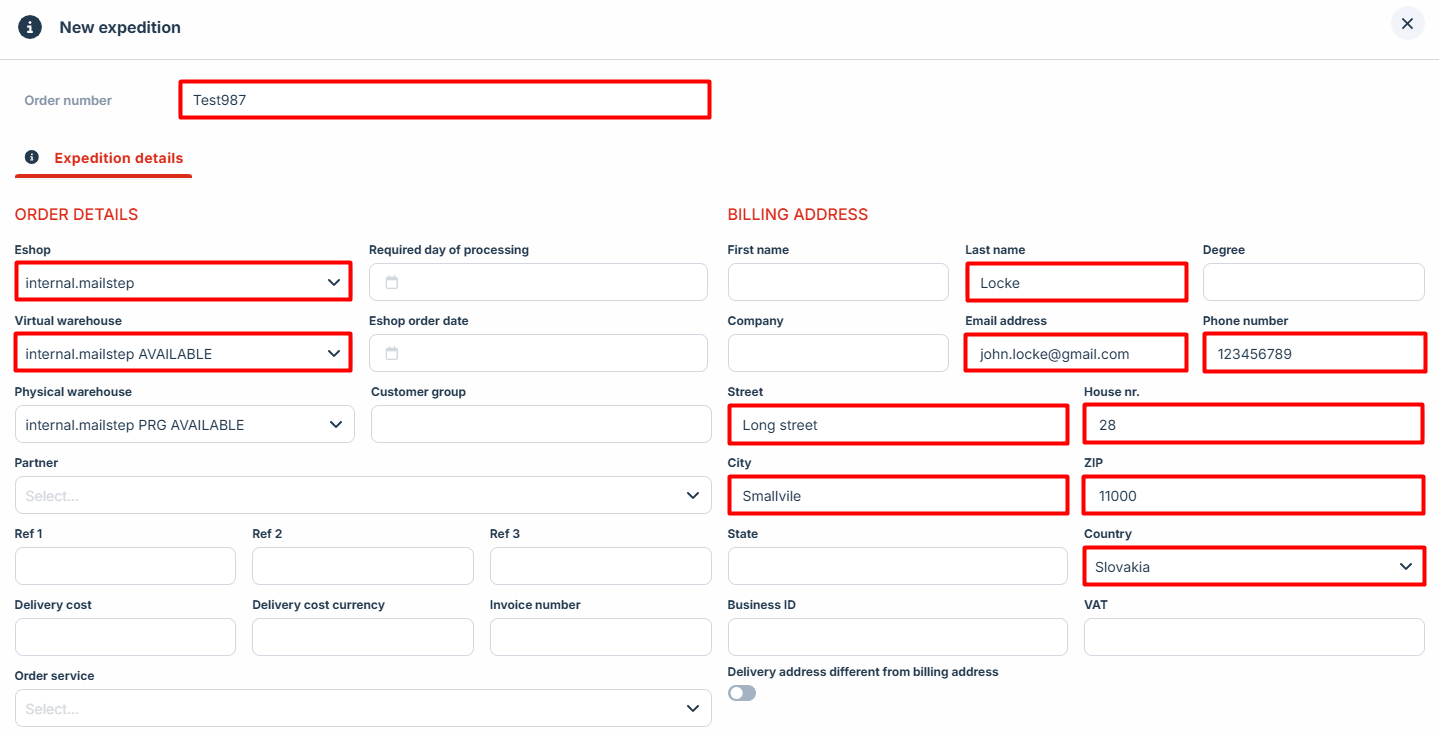
Mandatory Fields |
|
|---|---|
|
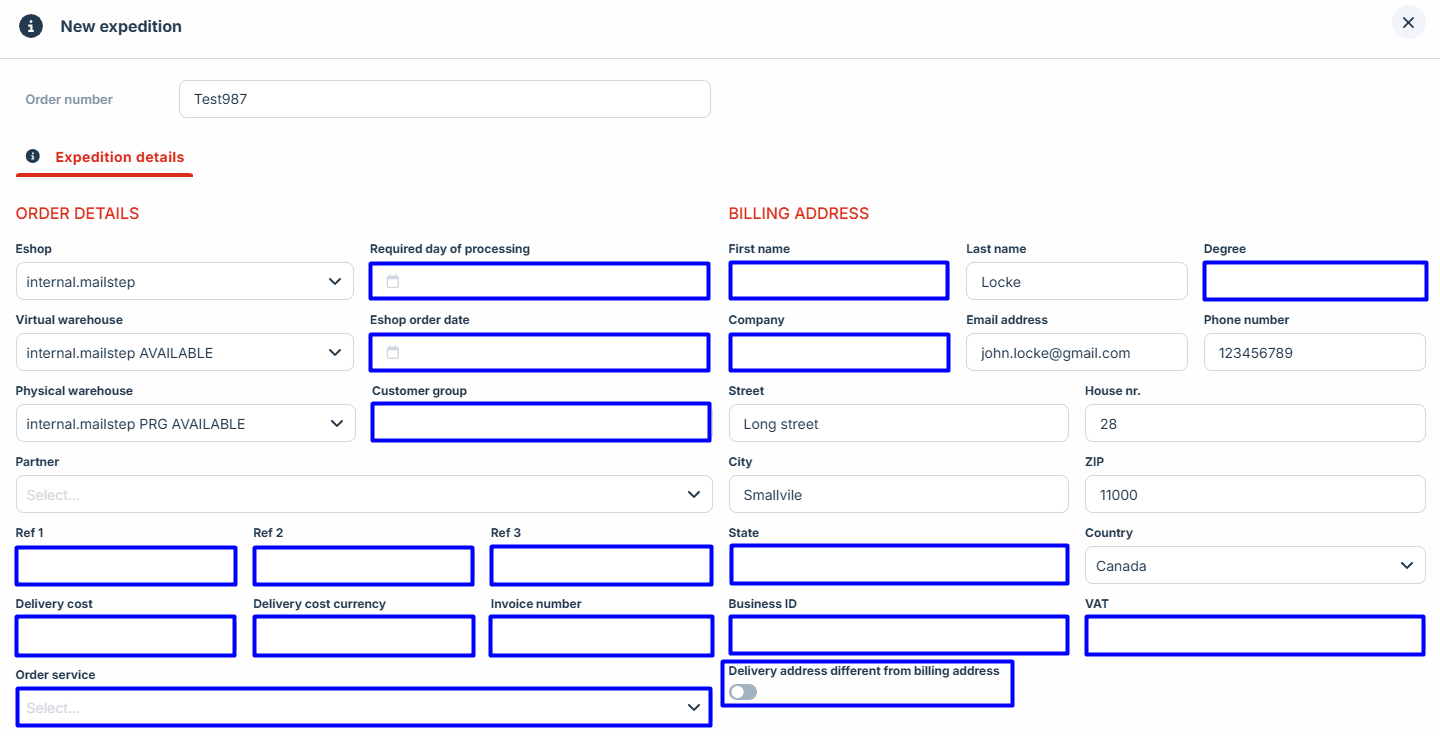
Expedition Details
Billing Address (Recipient Details)
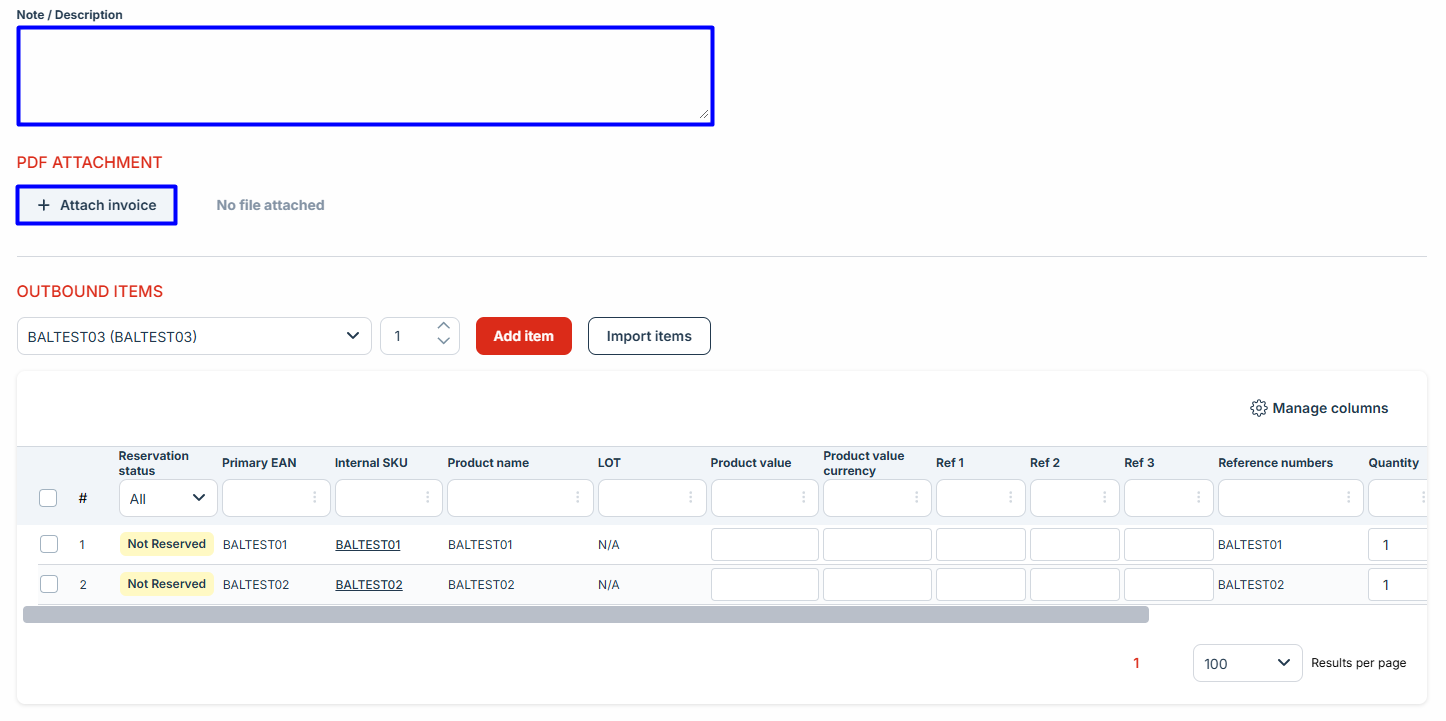
Outbound items
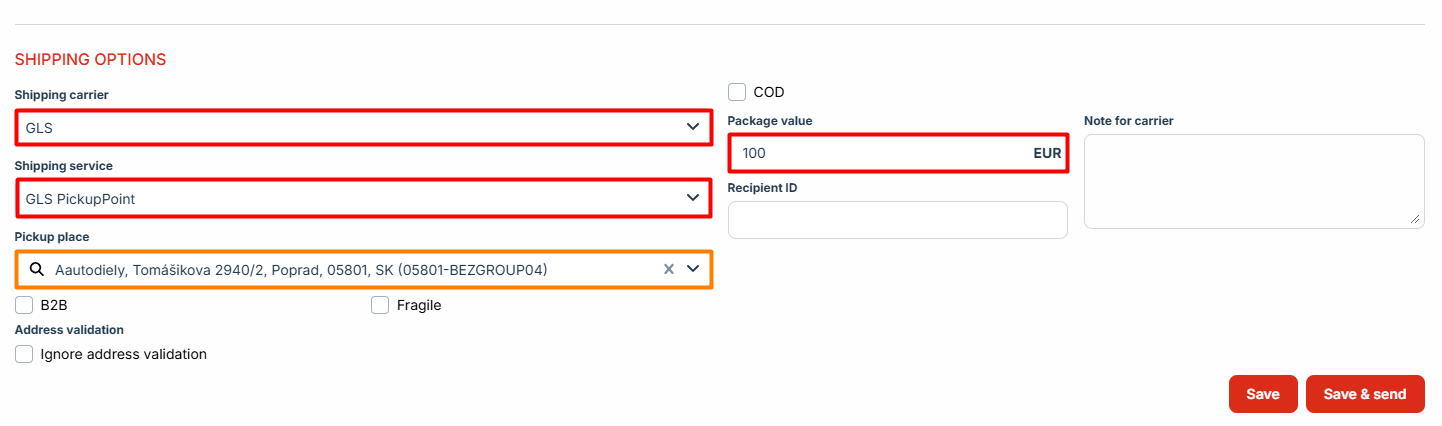
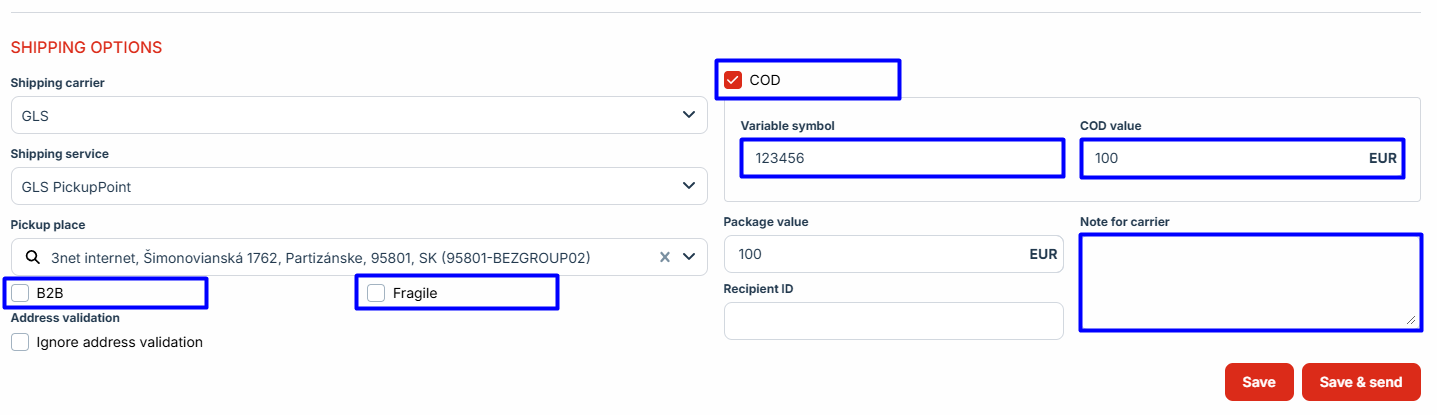
Import items Shipping Selection
Additional
|
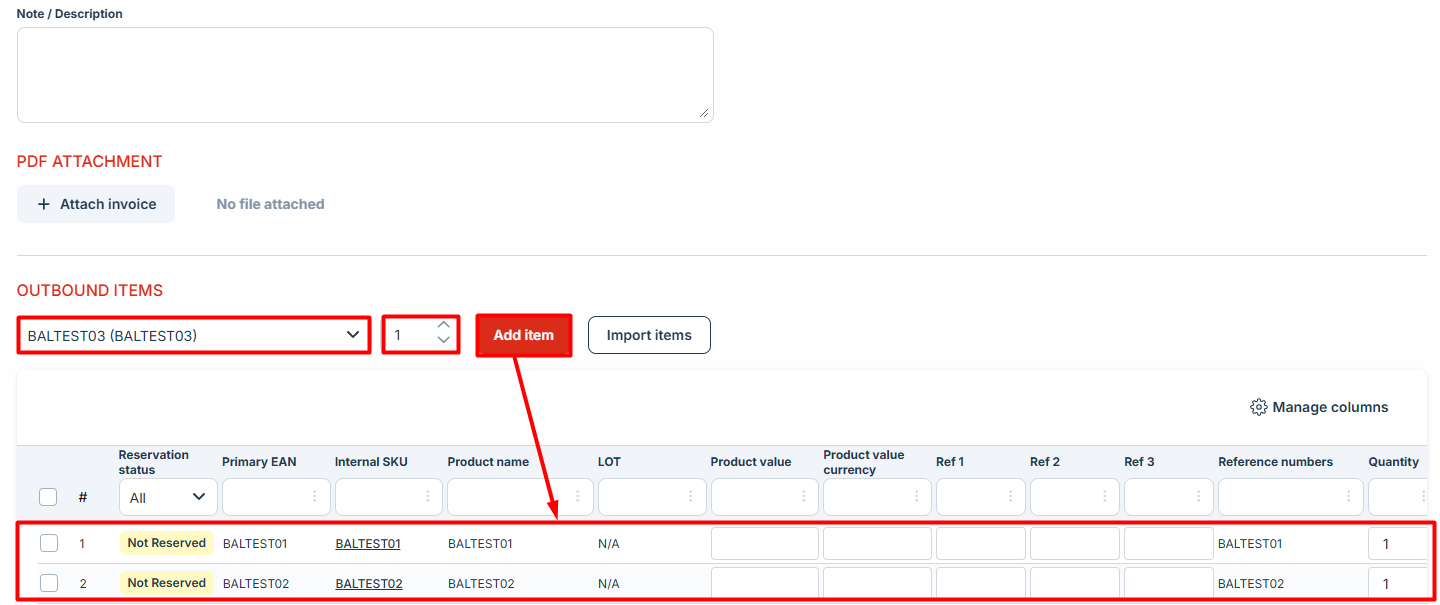
If the product cannot be found, check the following:
|
|
Optional Fields |
|
|
Expedition Details
Billing address (Recipient Details)
PDF Attachment
Additional Options
|
|
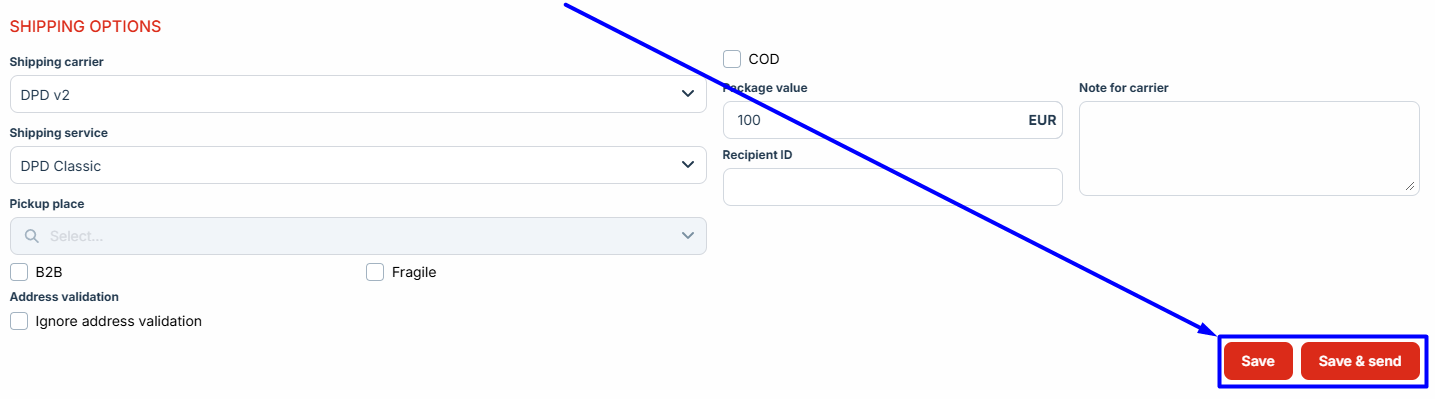
Difference Between "Save" and "Save and send"
-
Save – Saves changes, but the order remains on hold.
-
Save and send – Saves changes and sends the order for processing.