You can enable product sync in the plugin settings under the Data Transfers tab.
See also: Sync Configuration in the Shopify Plugin | Product Sync from E shop to Mailship
Required Fields for Sync
To successfully sync a product (and its variants, if used), each product card must include:
-
SKU
-
Barcode
Synced Data Includes:
-
SKU → Product code
-
Barcode → EAN
-
Product name
-
Short description (trimmed to the first 200 characters)
-
Weight
-
Product image
-
Customs info – Country of origin and HS code
Changes to SKU/EAN on a Product
Products are linked between Shopify and the Mailship portal using their IDs – specifically, the Shopify ID and the Mailship ID. This means the product cards in both systems are tightly connected.
If you change some key details on an existing product card (such as the name, variants, or product structure), it can cause issues with synchronization.
A product with a changed SKU or barcode will try (unsuccessfully) to create a new product in Mailship, but the code is already in use.
Recommendation: Do you need a new stock item? Instead of editing the existing product, create a new product in Shopify. This new product will then sync correctly with Mailship without any issues.
If some products didn't synchronize successfully, you can force the synchronization in the plugin settings under Data Transfers -> Product sync e-shop - Mailship -> Full sync.
If the synchronization still fails, you can find the error details under the Recent events tab.
How to Work with Product Bundles (Shopify + Mailship)
If you sell bundles or multipacks on Shopify (like 2+1 free or gift sets), it’s important to set them up correctly to ensure stock synchronization between Shopify and Mailship works smoothly and avoids overselling.
Create Bundles Directly in Shopify
We recommend creating product bundles in Shopify, not in Mailship. Why?
-
Bundle SKUs in Mailship don’t correspond to physical products
-
They don’t have their own stock levels
-
They cannot transmit accurate stock information
How to Set Up Bundles Correctly
Use Shopify apps specifically designed for creating bundles, such apps allow you to:
-
Turn any existing SKU into a bundle
-
Create a new bundle from scratch
-
Select the individual items included in the bundle
-
Automatically deduct stock for each item individually
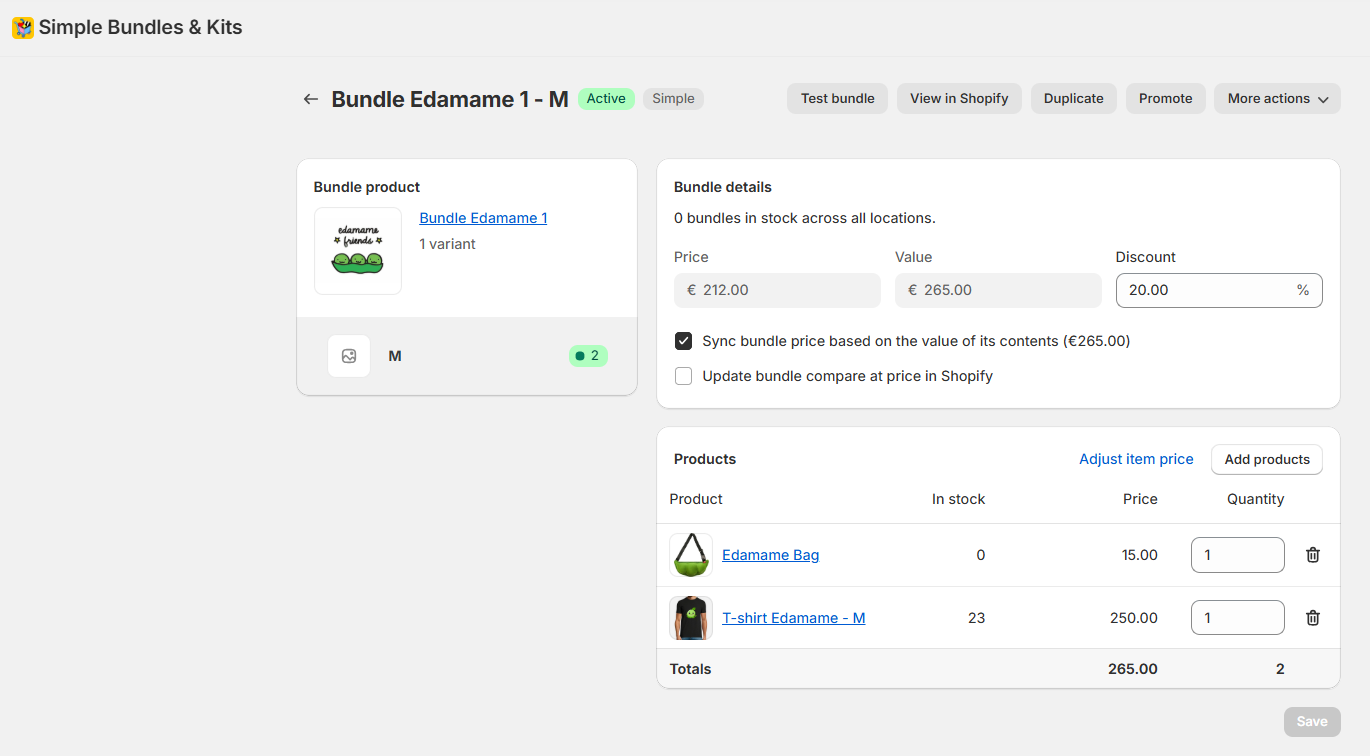
👉 This ensures accurate real-time stock updates in Mailship.
How Orders Sync Works
When processing an order from Shopify to Mailship:
-
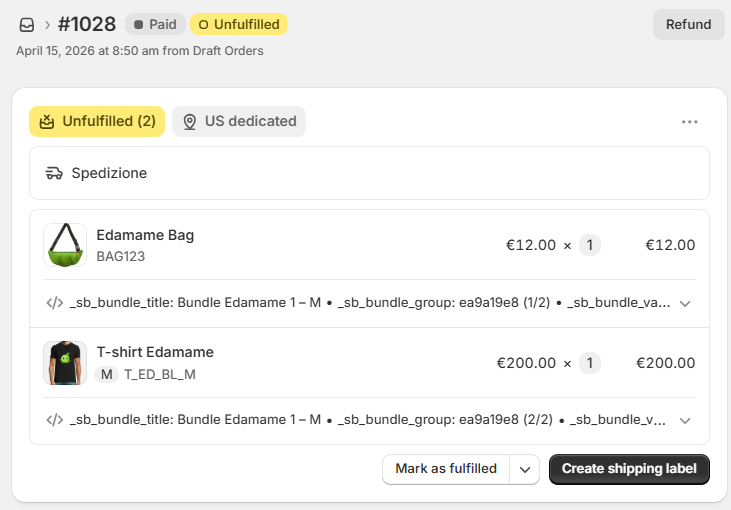
Each individual product SKU is listed
-
Not just the single bundle SKU
This allows Mailship to receive accurate stock information for every item in the order.